
Slots, casino, live betting, deposits, withdrawals — all in one app. Download the hgince app free on any Android or iOS device and play wherever you want.
Faster than a browser, easier to use, and packed with app-only exclusive benefits.
The hgince app is built specifically for mobile. Games load in seconds and screen transitions are completely smooth.
Match kick-offs, bonus offers, jackpot updates — get all the important news the moment it happens. Never miss a thing.
Log in with a single touch using fingerprint or Face ID. No more remembering passwords.
The hgince app works well even on a slow connection. Turning on data saving mode cuts usage down further each session.
Deposit and withdraw directly via mobile banking or bank transfer without ever leaving the app.
Watch live streams of selected matches directly in the hgince app and place live bets at the same time.
Many players use hgince through a mobile browser, and that works fine. But those who have tried the app rarely want to go back to the browser — that's something hgince users say time and again.
The difference is obvious from the very first use. The game lobby loads instantly when you open the app. Browsers sometimes need a page refresh, but the app never does. Live betting odds also update much faster.
Another major advantage is notifications. With push notifications enabled on the hgince app, you'll get an alert 30 minutes before your favorite team's match kicks off. You'll also be notified instantly whenever a special bonus offer or free spins become available — something a browser simply can't do.
Another standout feature of the hgince app is offline mode. If your connection drops suddenly, the app won't crash — it waits gracefully and picks up right where you left off once you're back online.
The app also has the edge on security. Biometric login means that even if your phone is stolen, no one else can access your hgince account. Two-factor verification and session timeout are also active in the app.

The hgince app isn't available directly on the Google Play Store, so you'll need to install it from the APK file. It's a slightly different process, but completely safe.
Go to Settings > Security or Apps > Install Unknown Apps on your phone and allow your browser to install from Unknown Sources.
Download the Android APK file directly from the hgince download page. At only 35 MB, it downloads quickly.
Once the download is complete, open the APK file from your file manager and tap Install. It'll be ready in just a few seconds.
Open the app. Log in if you have an existing account, or complete registration if you're new. You can also set up biometric login here.
Installation complete. You're all set to enjoy the full gaming experience on the hgince app.
Warning: Only download the APK from the official hgince website. Downloading from third-party sites can be risky.
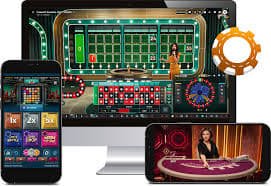
A PWA (Progressive Web App) version of hgince is available for Apple devices, and it works almost exactly like a native app.
Open hgince.vu in Safari on your iPhone or iPad. Tap the Share button at the bottom and select "Add to Home Screen." The hgince icon will appear on your home screen and open in full-screen mode just like a native app.
As a PWA, a few features may differ slightly on iOS, but the core gaming experience is identical. Slots, casino, Sports Betting, deposits, and withdrawals all work fully on iOS. The hgince development team continuously works to improve the iOS experience.
The hgince PWA runs smoothly on iOS 14 and above. Best performance is on iPhone 8 or newer, and iPad is fully supported as well.

The hgince app includes several special features you simply won't find on the website or in a browser.
App-Exclusive Bonuses: Every week, hgince app users get exclusive bonus offers — free bets, cashback, or free spins. Keep notifications on so you never miss a deal.
Speed Betting: The app features a dedicated quick-bet interface for placing bets fast during live matches. One tap repeats your previous stake — a real advantage in live betting.
Smart Search: The hgince app has a voice search feature. Just say "cricket Bangladesh" or "Gates of Olympus" and the app instantly shows results.
Personalized Home Screen: The hgince app analyzes your play habits and delivers personalized game suggestions every day. Your most-played slots stay front and center, and bonus offers are curated to match your preferences.
Dark Mode: The hgince app has a dark mode for playing at night or in low light. It's easier on your eyes and saves battery too.
Only download the hgince app from the official download page. All downloads are verified with SHA-256 checksums. The app never collects personal data without permission. To learn more, Privacy Policy View.
Download for free and claim app-exclusive bonuses.
| Features | App | Browser |
|---|---|---|
| Load Speed | Fast | Medium |
| Push Notifications | Available | Not Available |
| Biometric Login | Available | Not Available |
| Exclusive Bonuses | Available | Not Available |
| Data Usage | Low | More |
Over 50,000 users enjoy gaming on the hgince app every day.
Games and pages load 3x faster than a browser.
Biometric login and two-factor verification.
Weekly exclusive offers for app users only.
Live chat and support available directly from the app.